
※本篇內文資訊參考如下※
- -
※更新文章日期: 2025-12-09
HYPEREV 遊戲降低延遲加速器 GAME Lag Reduction 購買優惠連結 Purchase Discount Link
–
優惠購買連結:請點我
https://aff.gearupglobal.com/product/download/NgyZvnFwjM9i
Purchase Discount Link
–
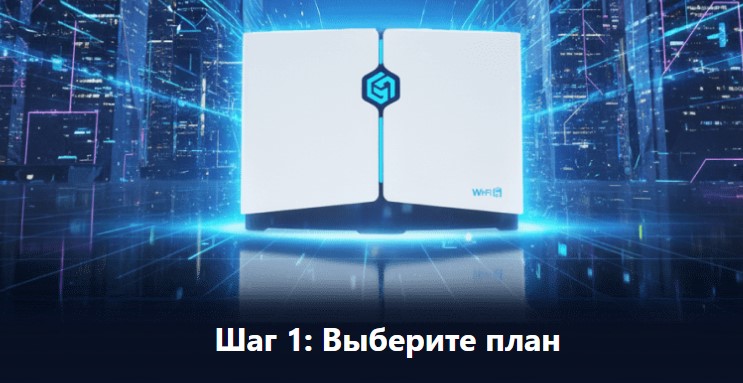
HYPEREV 是一款專為遊戲玩家設計的硬體設備,主要由 GearUP 推出,產品全名通常為 GearUP HYPEREV 或 HYPEREV 遊戲路由器。
簡單來說,它是一個**「實體化的遊戲加速器」**,專門用來解決家用主機(Console)和 PC 連線遊戲時的高延遲(爆 Ping)、掉封包或連線不穩定的問題。
以下是針對 HYPEREV 的詳細介紹:
1. 核心功能與用途
HYPEREV 的運作原理類似於電腦上的 VPN 加速軟體,但它是透過硬體來執行,特別適合無法安裝加速軟體的主機平台。
降低延遲 (Lag Reduction): 透過其內建的智慧路由技術,自動尋找連線到遊戲伺服器(如《Apex 英雄》、《決勝時刻》、《FIFA》等)的最快路徑,繞過擁擠的網路節點。
穩定連線: 減少封包丟失(Packet Loss),避免遊戲中瞬移或斷線。
加速下載: 部分情況下可優化遊戲更新檔的下載速度。
NAT 優化: 幫助解決 NAT 類型嚴格(Strict)導致無法與好友組隊或配對困難的問題,通常能優化至 NAT A 或 Open。
2. 支援設備
它主打「隨插即用」且支援多平台,特別針對遊戲主機進行優化:
PlayStation: PS5, PS4, PS4 Pro
Xbox: Xbox Series X|S, Xbox One
Nintendo: Switch (含 OLED/Lite)
其他: Steam Deck, PC, VR 設備 (Oculus Quest 2)
3. 如何使用與安裝
HYPEREV 是一個類似路由器的方塊,安裝方式通常如下:
連接網路: 使用網路線將家中的數據機(Modem)或主路由器連到 HYPEREV。
連接主機: 再用另一條網路線將 HYPEREV 連接到你的 PS5/Xbox/PC(或是透過 HYPEREV 發出的 Wi-Fi 6 訊號連接 Switch)。
手機 App 設定: 下載專屬 App(GearUP Console Booster),透過藍牙或 Wi-Fi 配對後,在手機上選擇你要加速的遊戲即可。
4. 關鍵規格與特色 (以常見型號為例)
Wi-Fi 6 支援: 支援無線連接,提供較快的無線傳輸速度。
乙太網路接口 (Ethernet): 提供穩定的有線連接。
體積小巧: 不佔空間,通常設計較為輕便。
5. 重要注意事項 (優缺點分析)
需要訂閱會員: 這類硬體通常不是買斷制。購買硬體後,你通常只能獲得短期的免費加速服務(例如 1-3 個月),之後必須付費訂閱 GearUP 的會員服務才能持續使用「遊戲加速」功能。如果沒有續費,它可能只能當作普通的路由器或 Wi-Fi 訊號延伸器使用。
效果因人而異: 如果你原本的網路環境(如光纖)已經非常好,且連線的伺服器就在本地(例如台灣連台灣伺服器),效果可能不顯著;但如果你經常連線到海外伺服器(如日服、美服),效果會非常明顯。
總結:誰適合買?
主機玩家 (PS5/Xbox/Switch): 因為主機無法像電腦一樣隨意安裝 VPN 軟體,HYPEREV 是解決連線問題最簡單的方案。
受夠了 NAT 類型限制的玩家: 經常因為 NAT 問題無法跟朋友語音或組隊的人。
跨區玩家: 喜歡玩日版或美版線上遊戲的玩家。
–
HYPEREV is a hardware device designed specifically for gamers, primarily launched by GearUP. The full product name is usually GearUP HYPEREV or HYPEREV Game Router.
Simply put, it is a “physical game booster” designed to solve issues like high latency (lag spikes), packet loss, or unstable connections when playing online games on home consoles and PCs.
Below is a detailed introduction to HYPEREV:
1. Core Functions & Uses
HYPEREV operates similarly to VPN acceleration software on a computer, but it performs these functions through hardware. This makes it particularly suitable for console platforms where installing acceleration software is not possible.
Lag Reduction: Using built-in smart routing technology, it automatically finds the fastest path to game servers (such as Apex Legends, Call of Duty, FIFA, etc.), bypassing congested network nodes.
Stable Connection: Reduces Packet Loss, preventing “rubber-banding” or disconnections during gameplay.
Download Acceleration: In some cases, it can optimize the download speed of game updates.
NAT Optimization: Helps resolve issues with “Strict” NAT types that prevent teaming up with friends or cause matchmaking difficulties, typically optimizing the status to NAT Type A or Open.
2. Supported Devices
It promotes a “Plug and Play” experience and supports multiple platforms, with specific optimizations for game consoles:
PlayStation: PS5, PS4, PS4 Pro
Xbox: Xbox Series X|S, Xbox One
Nintendo: Switch (including OLED/Lite)
Others: Steam Deck, PC, VR devices (Oculus Quest 2)
3. How to Install & Use
HYPEREV is a small, router-like box. The installation process is generally as follows:
Connect Network: Use an Ethernet cable to connect your home modem or main router to the HYPEREV.
Connect Console: Use another Ethernet cable to connect the HYPEREV to your PS5/Xbox/PC (or connect your Switch via the Wi-Fi 6 signal emitted by the HYPEREV).
App Setup: Download the dedicated App (GearUP Console Booster). After pairing via Bluetooth or Wi-Fi, simply select the game you want to boost on your phone.
4. Key Specs & Features (Based on common models)
Wi-Fi 6 Support: Supports wireless connections, providing faster wireless transmission speeds.
Ethernet Ports: Provides stable wired connections.
Compact Size: Space-saving and usually designed to be lightweight.
5. Important Notes (Pros & Cons Analysis)
Requires Subscription: This hardware is usually not a one-time purchase for full functionality. After buying the hardware, you typically get a short period of free boosting service (e.g., 1-3 months). Afterward, you must pay for a GearUP membership subscription to continue using the “Game Boost” feature. Without renewing, it may only function as a standard router or Wi-Fi extender.
Effectiveness Varies: If your original network environment (e.g., fiber optic) is already excellent and you are connecting to local servers, the effect may not be significant. However, if you frequently connect to overseas servers (e.g., Japanese or US servers), the difference is usually very noticeable.
Summary: Who is this for?
Console Gamers (PS5/Xbox/Switch): Since consoles cannot install VPN software like PCs can, HYPEREV is the simplest solution for connection issues.
Gamers Frustrated by NAT Restrictions: People who frequently cannot use voice chat or form parties due to NAT issues.
Cross-Region Gamers: Players who enjoy playing on servers in different regions (e.g., playing on Japanese or North American servers).
–
–